Import products from WooCommerce to your Take App store.
In WooCommerce
-
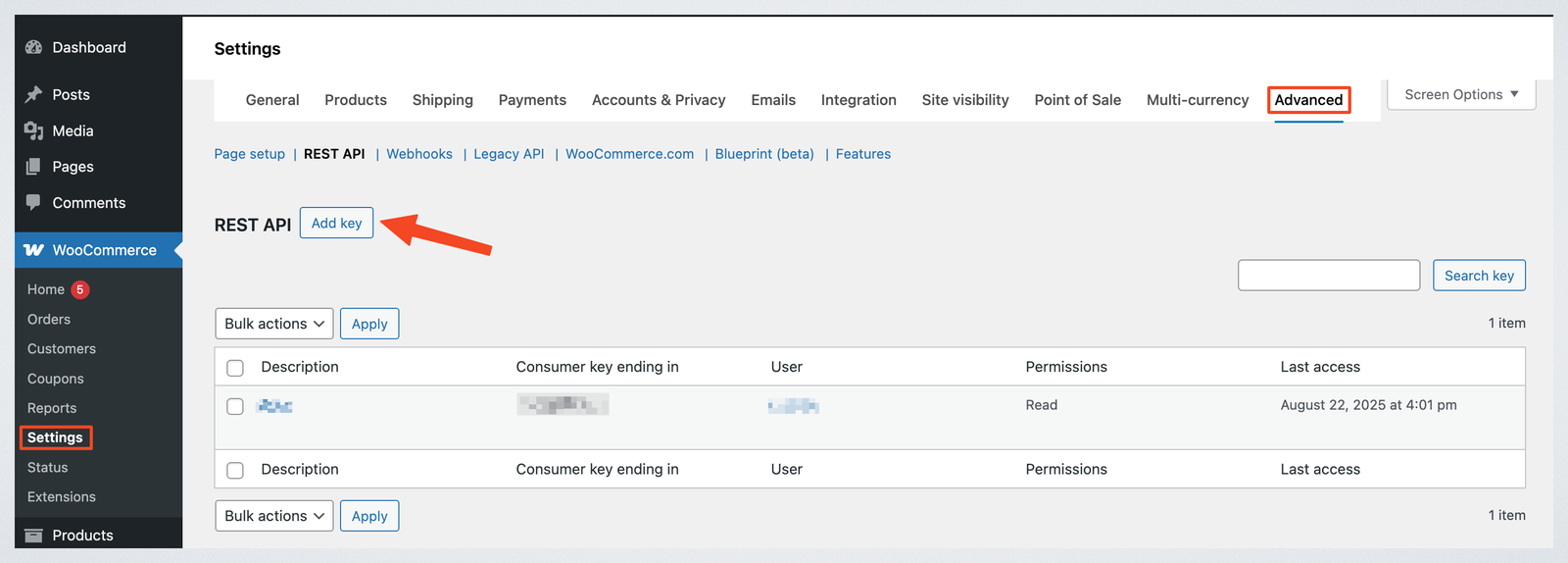
Go to WooCommerce > Settings > Advanced > REST API > Click on "Add key"
-
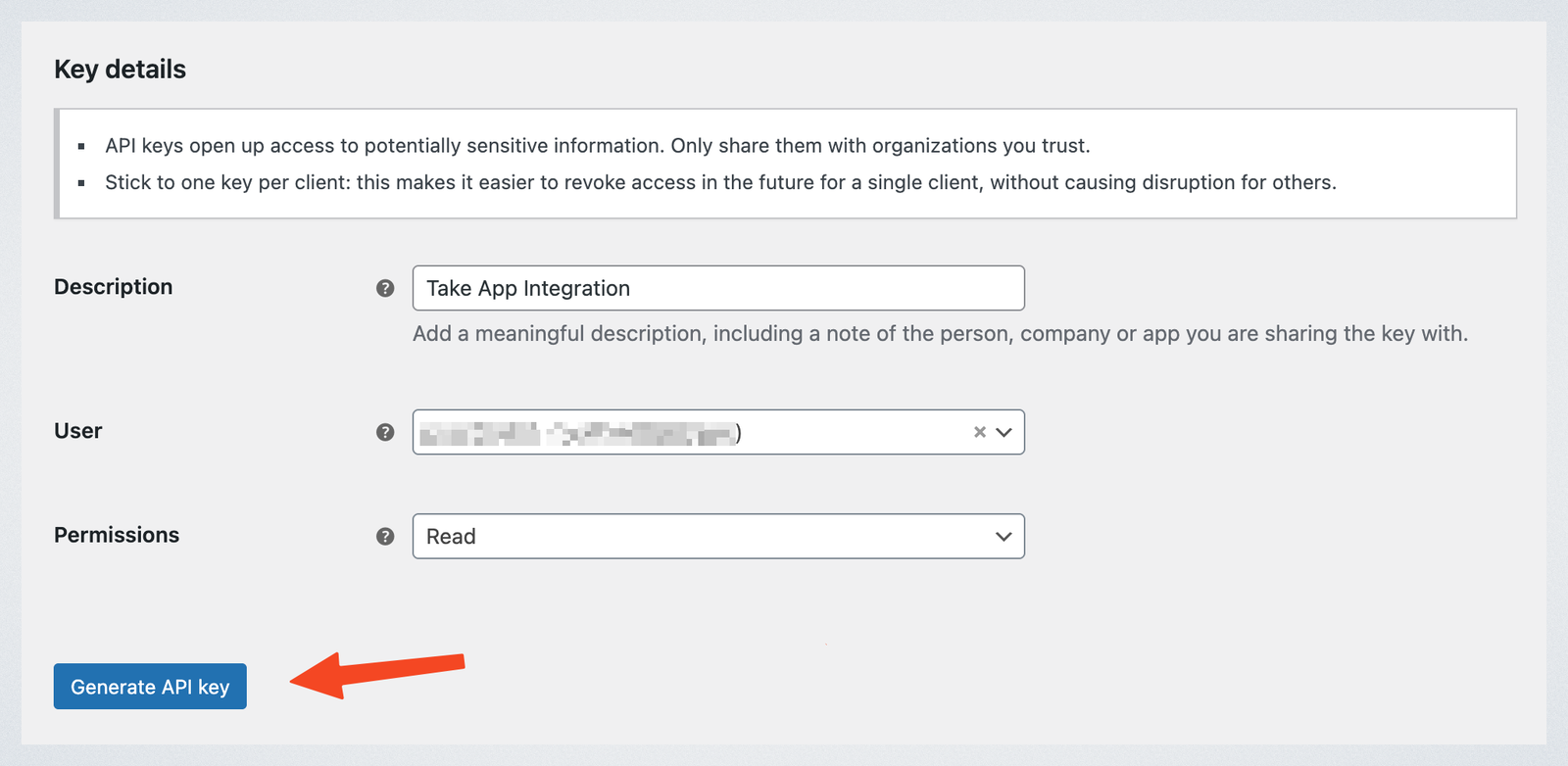
Set Description (e.g., "ABC Integration")
-
Set User to an admin user
-
Set Permissions to "Read"
-
Click on "Generate API key"
-
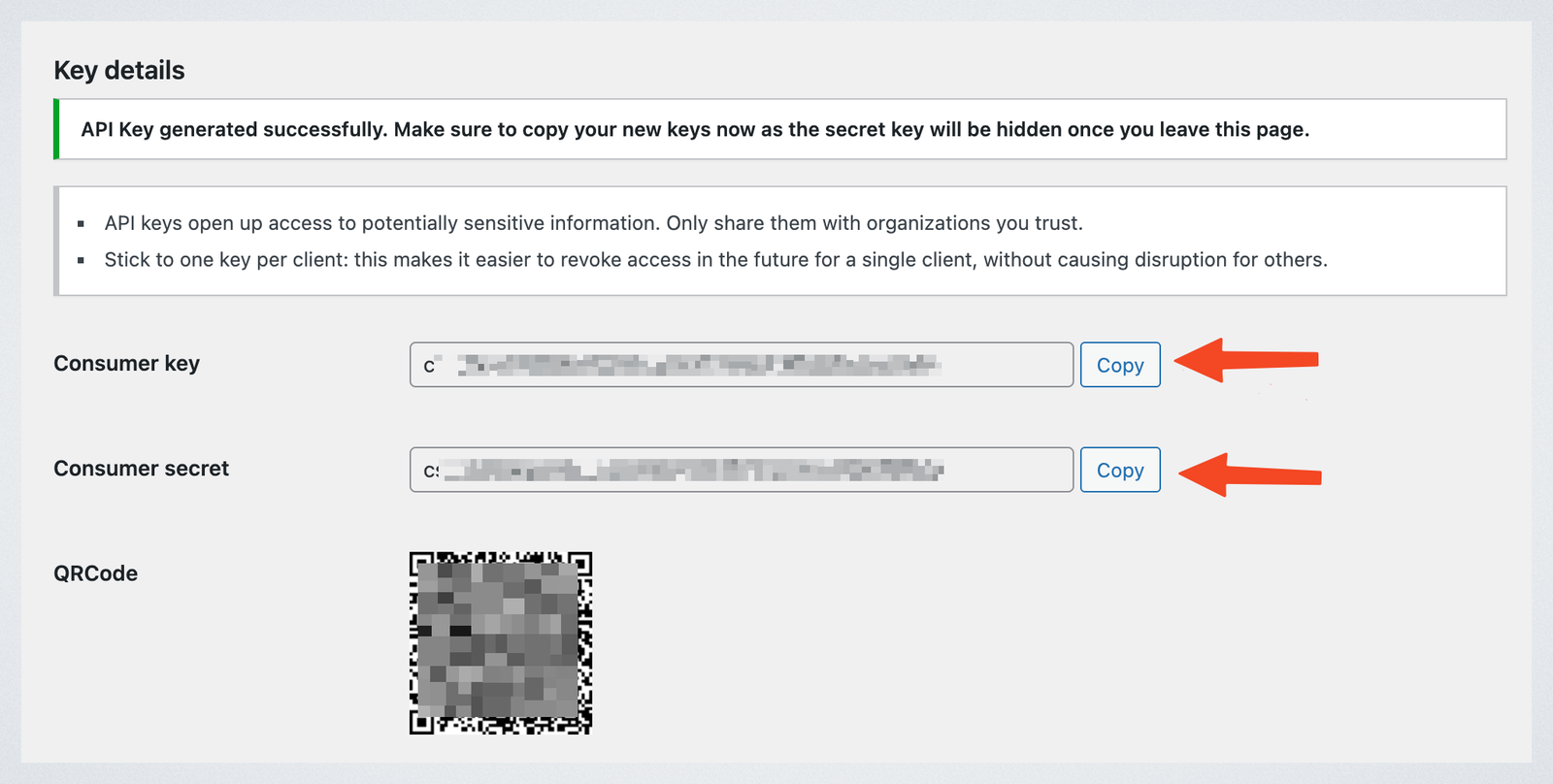
Copy the Consumer key and Consumer secret
In Take App
-
Go to Settings > Integrations > WooCommerce
-
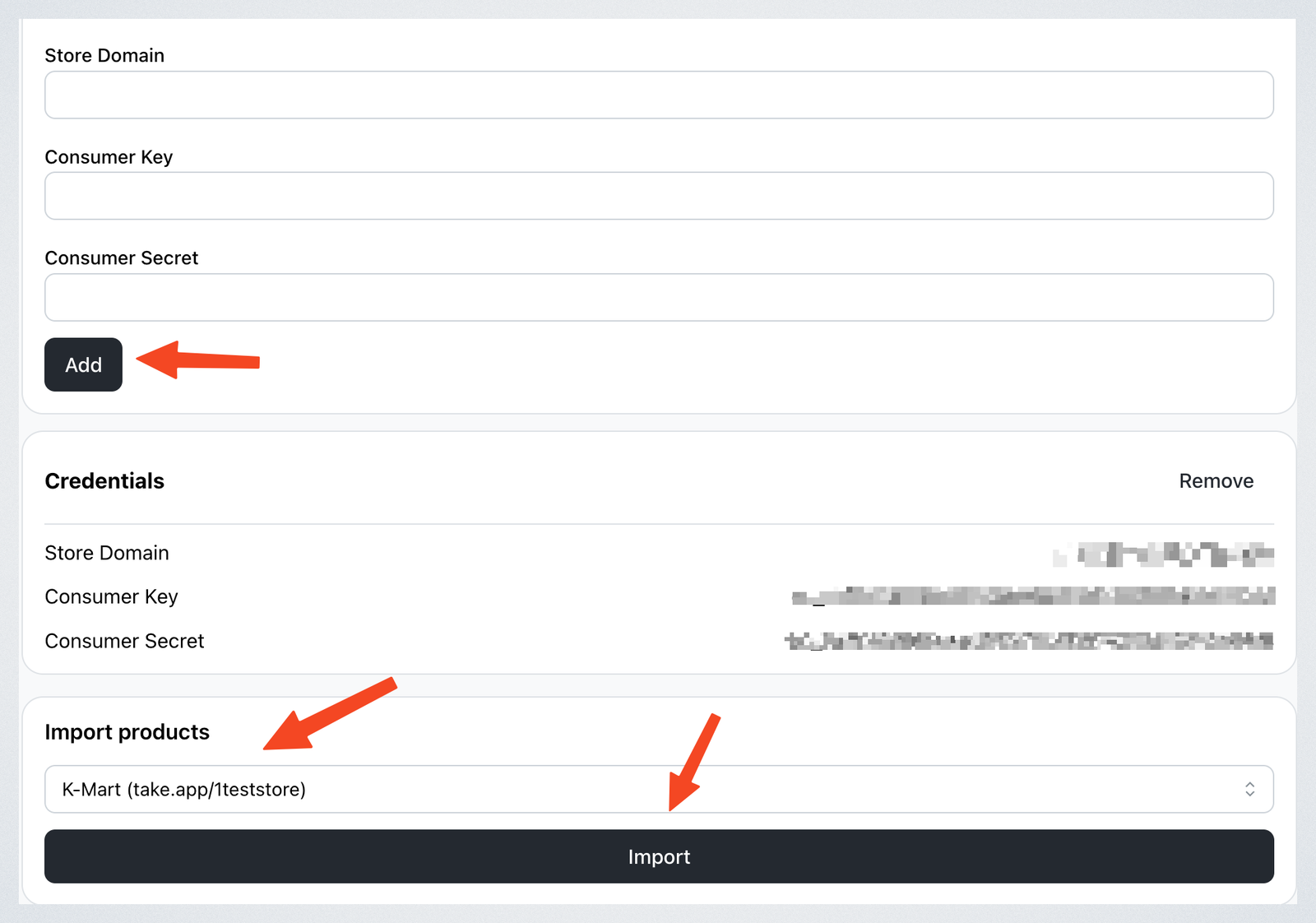
Enter your Store Domain (e.g., mystore.com or mystore.com), Consumer Key and Consumer Secret. Then, click on "Add"
-
Choose the store you want to import products to.
-
Click on "Import" to bring your products into Take App.