
Take App

Upgrading subscription plan

If your plan is in Basic, you can upgrade to Business plan to enjoy more perks.

How to upgrade your subscription

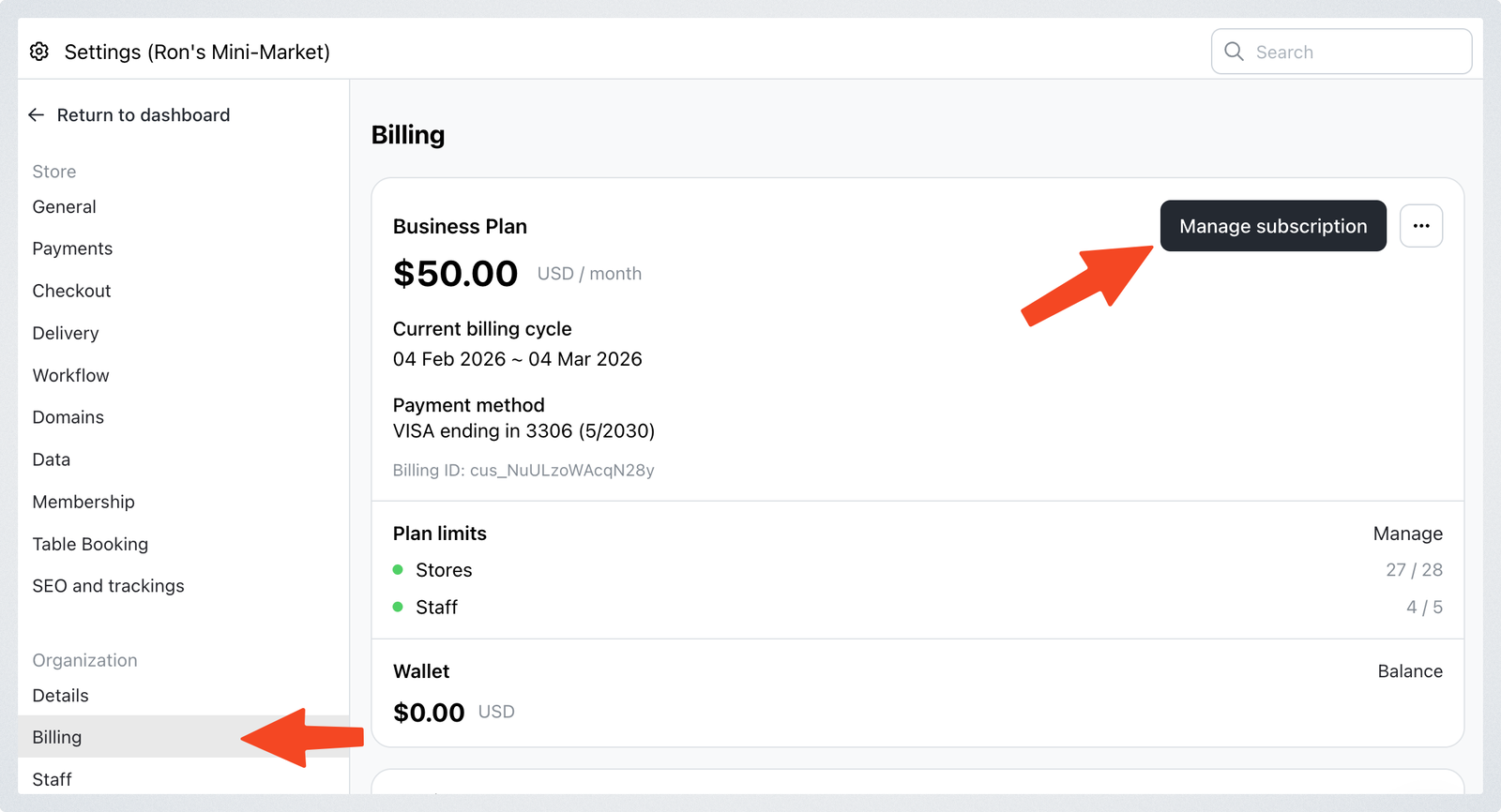
  1. Go to Settings > Billing and click Manage subscription
    Upgrading subscription plan
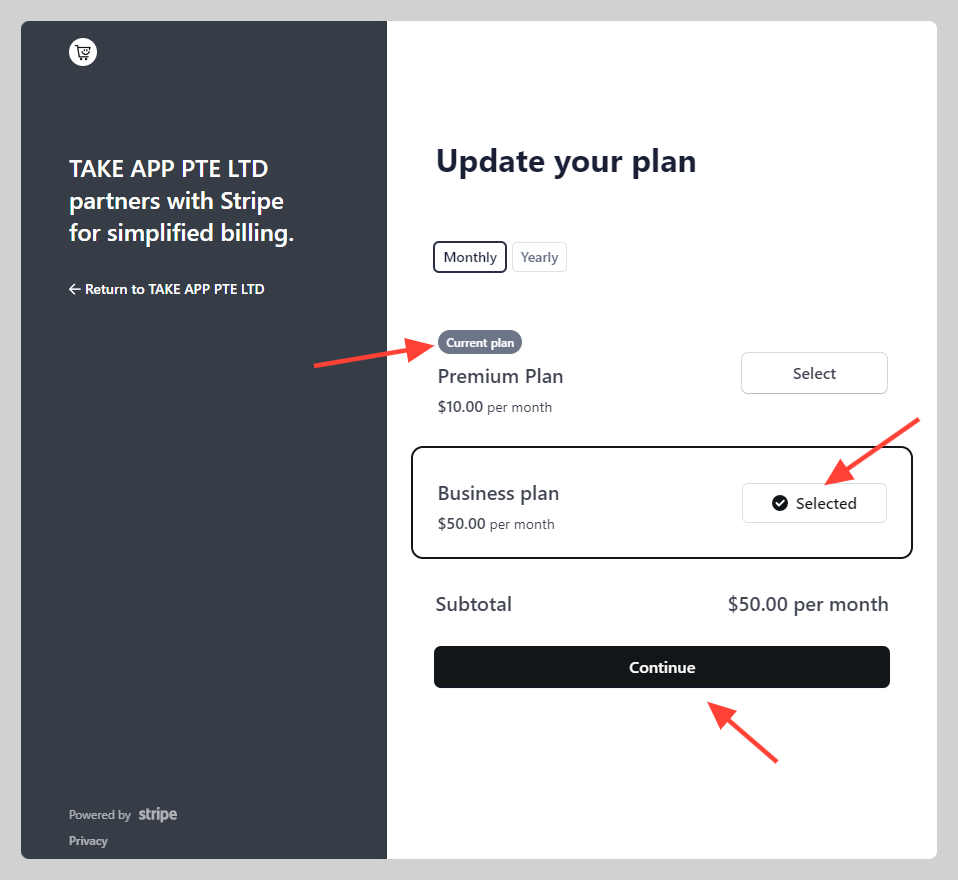
  2. Change your current plan (e.g. Basic) to new plan (e.g. business plan monthly) then click Continue
    Upgrading subscription plan

More in Getting Started with Paid Plan

Getting Started with Paid Plan

Still need help?

Chat with our team — we're online during business hours.

Contact support