
Business plan required. Learn Subscriptions
DPO Group is Africa's leading payment service provider, offering solutions for credit cards and mobile wallets.
How to add DPO as payment method
-
Set your country as one of the countries supported by DPO under Settings > Store Details
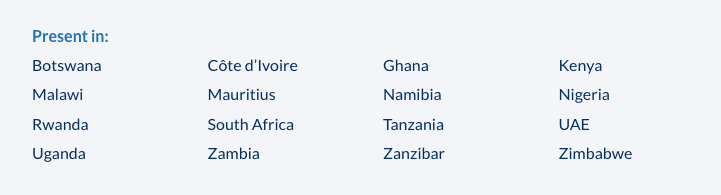
-
Go to Admin > Settings > Payments and click `Add payment method`.
-
Choose
DPOand make sure to hit "Save". -
Click DPO
Settingsto complete the setup by keying in your DPO Company Token. Fill in one of the Service Type/Product Code for your products that is provided with the token.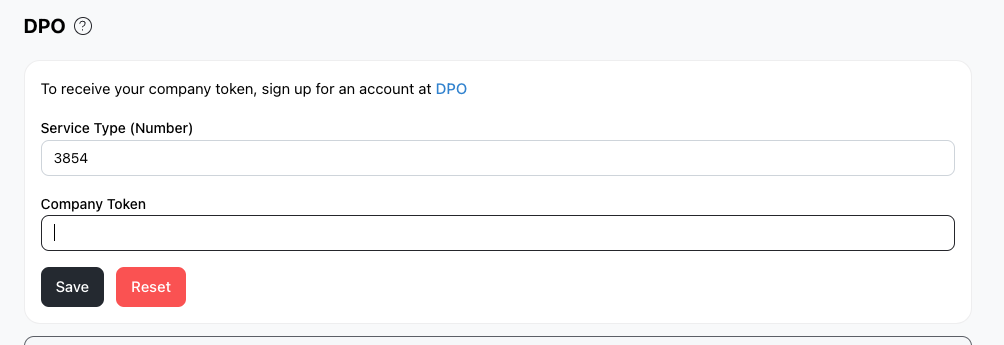
How to find your DPO Company Token and what to do thereafter?
- Sign up for a merchant account at the official DPO website. You should receive an email containing your DPO company token.
- Once you get your merchant token, you can key this into Take App.
- Ensure your Take App store currency is same as your DPO account currency. You can change Take App store currency by visiting Store > Details